

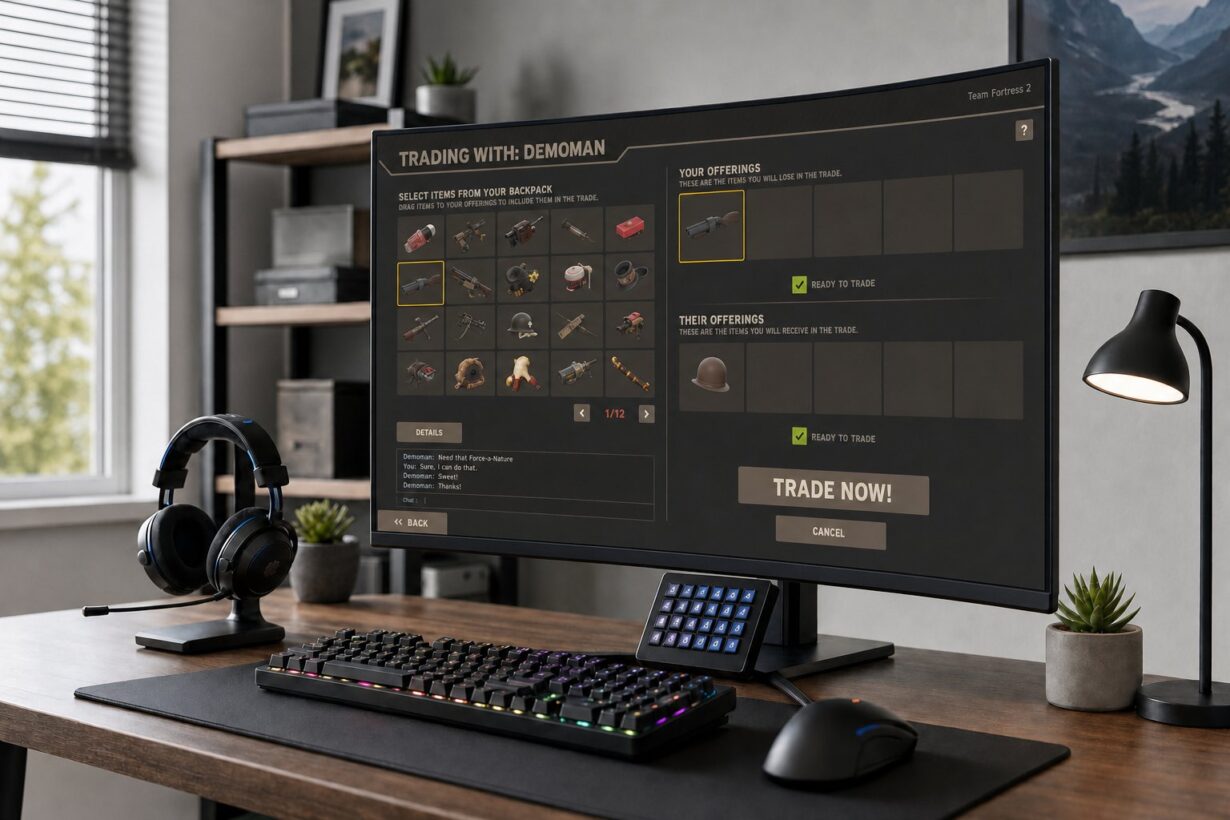

Team Fortress 2 has been around for nearly two decades, and its player-driven economy is still one of the most active virtual trading systems in any game. If you have ever stared at a backpack full of hats, weapons, and crates wondering what any of it is actually worth, you are not alone. The TF2 economy runs on its own internal currencies, its own pricing conventions, and its own set of unwritten rules that no one explains inside the game itself.
This guide breaks down how TF2 trading works in 2026, from the role of Mann Co. Supply Crate Keys and refined metal to where trades happen, how to price-check items accurately, and how to spot the scam patterns that still catch people off guard. The goal is not to turn you into a high-volume unusual flipper overnight. It is to give you a clear, current foundation so you can make informed trades, avoid common mistakes, and actually enjoy the process.
Whether you picked up the game last month or you have hundreds of hours but never seriously traded, the information here is grounded in how the economy functions right now, not how it worked five years ago. Prices, ratios, and even the platforms people use have shifted, and outdated advice can cost you real value.
Key Takeaways
- Mann Co. Supply Crate Keys are the primary trading currency in TF2, and knowing their real value relative to refined metal and real dollars is the single most important skill for any trader.
- Always cross-reference prices on backpack.tf with actual recent sales on the Steam Community Market and trade listings before agreeing to any deal.
- Most scams rely on urgency, confusion, or impersonation, and you can avoid nearly all of them by slowing down and verifying every detail in the trade window.
How The TF2 Economy Works In 2026
The TF2 economy is a player-run system built on two internal currencies: the Mann Co. Supply Crate Key and refined metal (commonly called “ref”). Understanding item qualities is also vital, as the color of an item’s border indicates if it is unique, or if it belongs to specialized groups like strange items, genuine items, vintage items, or haunted items. Keys sit at the top as the high-value unit, metal handles the small change, and the exchange rate between them, known as the ref to key ratio, floats based on supply and demand.
Why Keys Became The Main Trading Unit
A Mann Co. Supply Crate Key costs $2.49 in the in-game Mann Co. Store and was originally designed to unlock crates. Over time, traders realized keys had useful properties: they stack neatly in your inventory, they are always in demand (someone always wants to unbox), and Valve keeps the store price fixed, which gives them a relatively stable floor value.
That stability made keys the default “dollar bill” of TF2. When you see an unusual hat listed at 15 keys, the seller is not asking you to open 15 crates. They want 15 tradable keys deposited into the trade window. Keys are the most universally accepted form of payment, and their value remains relatively stable compared to individual items.
Almost every mid-to-high-tier item is priced in keys. Unusuals, high-demand stranges, professional killstreak kits, and rare cosmetics all use keys as the benchmark. If you are going to trade anything beyond cheap weapons and craft hats, you need to think in keys.
How Metal Still Fits Into Everyday Pricing
Refined metal is crafted from dropped weapons. Three scrap metal make one reclaimed metal, and three reclaimed make one refined. It is the currency you use for items worth less than a key: common unique hats, most non-strange weapons, low-tier paints, and name tags.
The problem with metal is inflation. The supply of refined metal never stops growing because players keep crafting it from weapon drops, and there is no effective metal sink removing it from the economy. That ongoing inflation is why the ref to key ratio has climbed steadily for years. A key that once cost 2.33 refined back in 2012 now runs around 58 refined in mid-2026.
Metal is still essential for small trades. If a hat is listed at 1.33 ref, that means 1 refined plus 1 reclaimed. You will use metal constantly, but you should never hold large amounts of it long-term because its purchasing power keeps shrinking.
Why Prices Shift Over Time
TF2 prices are not set by Valve. They are set by players agreeing on what things are worth. Several forces push prices around:
- Supply changes happen when Valve releases new crates, retires old ones, or runs limited-time events. As noted in a backpack.tf forum discussion on crate investing, old cases can spike in value when new unusual effects generate demand for the hats inside them.
- Demand spikes follow major updates, content creator videos, or seasonal events like Scream Fortress and Smissmas.
- Metal inflation slowly erodes the ref to key ratio, meaning items priced in metal effectively get cheaper in key terms unless their metal price is adjusted upward.
- Market sentiment matters. If a popular trader dumps a bunch of one unusual effect, prices for that effect can dip even though nothing about the item changed.
- Market trends reflect the overall health of the game and its trading volume over months or years.
The takeaway is simple: no price is permanent. Check dates on any price suggestion you reference, and treat valuations as estimates, not guarantees.
What A Key Is Really Worth

Understanding the real value of a Mann Co. Supply Crate Key means looking at it from three different angles: the store price, the third-party market price, and the trade value inside TF2 itself. These three numbers are rarely the same, and mixing them up is one of the fastest ways to overpay.
Mann Co. Store Price Vs Trader Market Price
Valve sells keys in the Mann Co. Store for a fixed $2.49 USD. That price has not changed in years, and it acts as a ceiling. No rational buyer pays more than $2.49 for a key when they can just buy one directly from Valve.
On the Steam Community Market, keys typically sell for slightly less than $2.49 because sellers are competing with each other and Steam takes a cut from the seller’s side. The buyer price hovers close to the store price, which makes the SCM a wash for most people looking to pick up a single key.
The real difference shows up on third-party trading sites and marketplaces where keys regularly trade in the range of roughly $1.60 to $2.10 in real-dollar terms. That discount exists because third-party platforms do not have Steam’s 15% marketplace fee, and many traders price keys based on what other traders are willing to pay outside of Steam’s ecosystem.
Why Third-Party Key Prices Are Usually Lower
Several factors push third-party key prices below $2.49. Bulk sellers often undercut each other. Traders cashing out their inventories accept lower per-key prices for faster liquidity. And because keys are always in demand, there is a constant flow of supply on external platforms.
Each key costs around $2.50 from the Mann Co. Store, but their real-money value in the trading community sits lower due to competition and the absence of Valve’s commission. If you are buying keys purely to trade, purchasing them at the lower third-party rate stretches your budget further.
Keep in mind that buying or selling keys for real money outside of Steam always carries some risk. Stick to well-known platforms with established reputations and buyer protections.
When Dollar Value Matters Less Than Trade Value
Here is something newer traders often miss: inside TF2 trading, the dollar value of a key is less important than its trade value. A key is worth whatever the current ref to key ratio says it is, and whatever items other traders will give you for it.
If you are never cashing out to real money, you do not need to worry about whether a key is worth $1.70 or $2.10 on a third-party site. What matters is how many refined that key buys you, and how many hats or items that refined can get. Think of keys as your internal unit of account and only convert to dollars when you are actually buying keys with cash or selling items for cash.
This distinction keeps you from making a common mistake: refusing a fair in-game trade because the dollar math does not look impressive. In TF2 trading, trade value is what actually moves your inventory forward.
Reading Prices In Keys And Refined
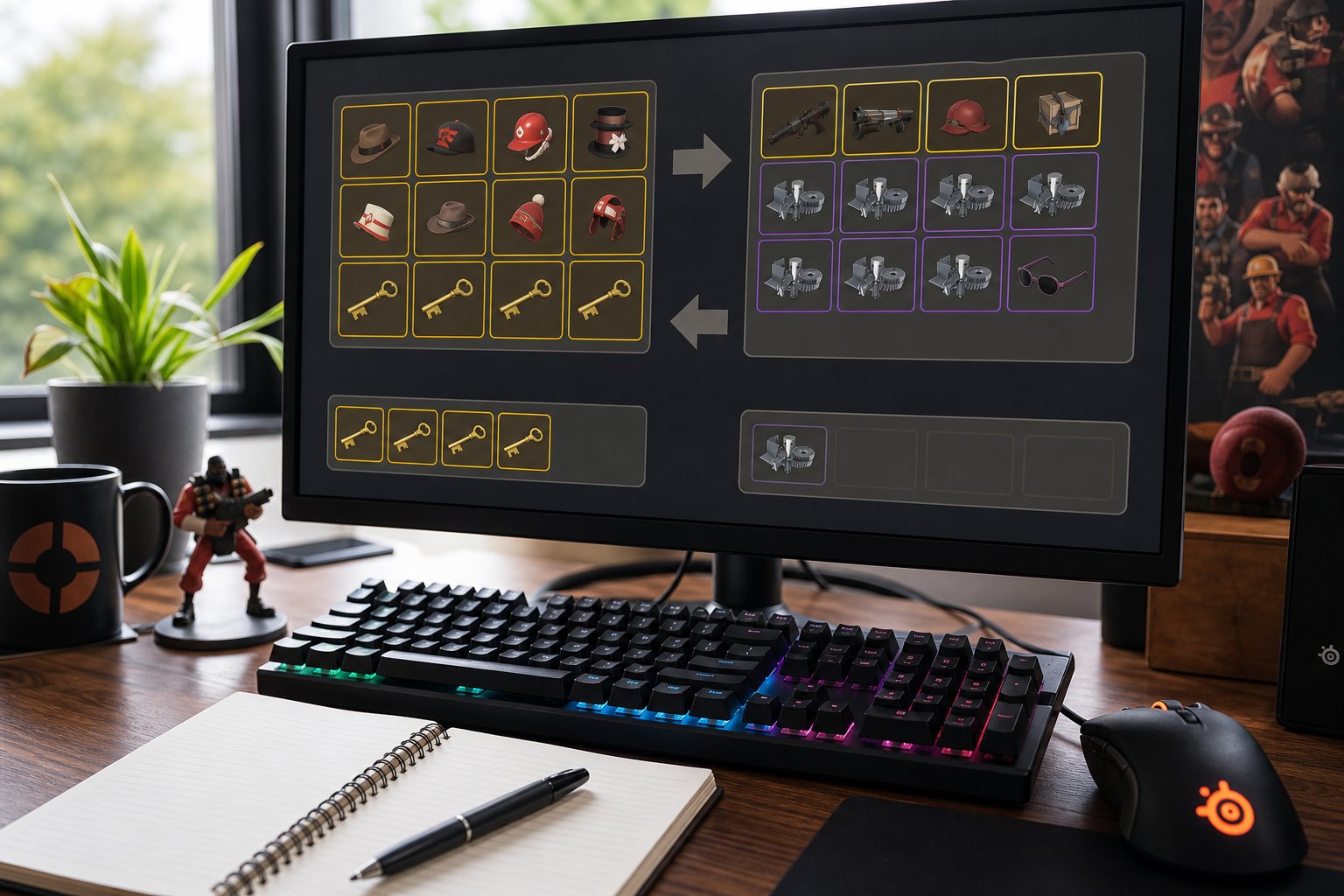
Prices in TF2 are written in a shorthand that can look confusing until you learn the pattern. Every listing on backpack.tf, every trade server advertisement, and every forum post uses the same key-and-metal format. Getting comfortable reading it quickly is the difference between spotting a good deal and walking into a bad one.
How To Interpret Backpack Pricing Formats
On backpack.tf, you will see prices like “1 key, 20 ref” or “0.33 ref” or “5 keys.” The commas matter. A price of “1 key, 1.66 ref” means you pay 1 key and 1 refined plus 2 reclaimed. It is not “either/or.” As a Reddit thread explains, the comma separates additive parts of the price.
Metal fractions follow a simple system:
- 0.11 ref = 1 scrap
- 0.22 ref = 2 scrap
- 0.33 ref = 1 reclaimed
- 0.66 ref = 2 reclaimed
- 1.00 ref = 1 refined
So “2.44 ref” means 2 refined, 1 reclaimed, and 1 scrap. It takes a few trades to internalize this, but it becomes second nature fast.
Backpack.tf also shows price ranges for items with variable value, like unusuals. A range of “10–12 keys” means recent sales and suggestions place the item somewhere in that window. The actual sale price depends on who wants it and how patient you are.
Using A June 2026 Ref-To-Key Snapshot
As of mid-June 2026, the ref to key ratio sits around 58 refined metal per key. That number fluctuates week to week, so always check the current ratio on backpack.tf before doing any conversion.
At 58 ref per key, a hat listed at 1.33 ref costs roughly 2.3% of a key. An item at 29 ref is about half a key. These mental benchmarks help you quickly evaluate whether a deal is fair without pulling out a calculator every time.
The ratio has been on a slow upward trend for years due to metal inflation. If you are reading an old guide that says a key is worth 30 ref, that information is outdated and will lead you to misprice trades badly.
How To Build A Simple Key-Metal Conversion Table
Having a quick reference table saves time during trades. Here is a conversion based on a 58 ref per key ratio:
| Keys | Refined Metal |
| 0.25 | 14.5 ref |
| 0.50 | 29 ref |
| 0.75 | 43.5 ref |
| 1 | 58 ref |
| 1.5 | 87 ref |
| 2 | 116 ref |
| 5 | 290 ref |
You can generate updated tables instantly using tools like Calculator.tf or PriceDB’s currency converter. Bookmark one of these and check it before any trade session. The ratio shifts often enough that a table from last month can already be slightly off.
Where Trades Actually Happen
TF2 trades happen across several platforms, and each one serves a different purpose. Knowing where to go for what you need saves you time and reduces the chance of overpaying or dealing with shady offers.
Steam Community Market For Commodities
The Steam Community Market is Valve’s official marketplace. You list items for sale at a price in your local currency, a buyer pays, and Steam takes a combined cut of about 15% (Steam’s fee plus a TF2-specific fee). The money goes into the seller’s Steam Wallet, not a bank account.
The SCM works best for commodity items: keys, standard crate series, popular paints, name tags, and other high-volume items where prices are competitive. You can see real transaction history, which is incredibly useful for price-checking. The downside is the fee. If you sell a key on the SCM, you net less than the listed price, which is why many traders prefer peer-to-peer exchanges for higher-value items.
You cannot trade items directly with another player on the SCM. It is strictly a buy/sell marketplace, not a trading platform.
Trade Sites And Bot-Based Listings
Sites like backpack.tf classifieds let you list buy and sell orders visible to the entire TF2 trading community. You post what you want, what you are offering, and other traders send you trade offers through Steam. This is where most key-for-item and item-for-item trades happen at scale.
Bot-based sites automate the process. You browse a bot’s inventory, select what you want, and the site sends you a Steam trade offer instantly. These bots typically charge a small spread (buying items for slightly less than market value and selling for slightly more), but the speed and convenience make them popular for routine trades. As noted in community recommendations, Scrap.tf is a well-known option for metal-based transactions. Other popular platforms include marketplace.tf for cash purchases, trade.tf for automated valuations, and tradeit.gg for quick item swaps.
Trade Servers And Direct Player Deals
Trade servers are in-game servers where players join specifically to advertise and negotiate deals. They are less structured than websites but can be great for finding niche items, negotiating unusual trades face-to-face (so to speak), and getting a feel for what the community currently values.
The downside of trade servers is that you are more exposed to lowball offers, impersonators, and social engineering. Always verify prices independently before agreeing to anything on a trade server. If someone pressures you to decide quickly, that is a red flag, not a sign of a hot deal.
Direct steam trading via friend requests still works fine for people you already know and trust. For strangers, using a site with trade history and reputation systems is safer than a cold trade offer from someone you met five minutes ago.
Setting Up A Safe Trading Account
Before you make your first real trade, your Steam account needs to be properly configured. Skipping security steps does not just put your items at risk; it also adds friction to every trade you attempt because Steam enforces restrictions on unprotected accounts.
Why Steam Guard Is Non-Negotiable
Steam Guard is Valve’s two-factor authentication system, and enabling it on the Steam mobile app is the single most important thing you can do for your trading account. Without the mobile authenticator active, you cannot use the Steam Community Market at all, and every trade you send will be subject to extended holds.
As outlined in Steam’s own trading guide, your account needs to have been protected by Steam Guard for at least 15 days before you can access marketplace features, and each new device you authenticate goes through its own 15-day restriction. Get this set up well before you plan to start trading.
The mobile authenticator also lets you confirm trades instantly from your phone, which means your items move to the other person right away instead of sitting in limbo.
How Trade Holds Affect Timing
If you do not have the Steam mobile authenticator active, Valve places a trade hold on every outgoing trade. That hold typically lasts up to 15 days, during which either party can cancel. The intent is to give you time to notice if someone accessed your account and initiated unauthorized trades.
For active traders, a 15-day hold is a dealbreaker. Most buyers on classifieds will skip your listing entirely if your trades are held because they can get the same item instantly from someone else. If you are serious about trading, there is no way around it: install the authenticator, confirm your trades promptly, and keep your phone accessible during trade sessions.
Account Habits That Reduce Risk
Beyond Steam Guard, a few account habits go a long way:
- Use a strong, unique password for your Steam account. Do not reuse it anywhere else.
- Never click links in trade chat that direct you to log in to a site. Legitimate trading sites never ask for your Steam password through a chat link.
- Review your login history in Steam settings periodically. If you see logins from unfamiliar locations, change your password immediately.
- Keep your trade URL semi-private. Sharing it on classifieds is fine, but posting it in random Discord servers or public chats invites spam offers.
- Do not install browser extensions that claim to enhance your trading experience unless they are widely vetted by the community. Malicious extensions are a common attack vector.
These are basic precautions, but they prevent the vast majority of account compromises. The people who lose inventories almost always skipped one of these steps.
How To Price-Check Before You Trade
Accurate price-checking is the skill that separates traders who build value from traders who slowly bleed it. The tools exist; the trick is using them correctly and not treating any single source as gospel.
Using backpack.tf Without Treating It As Absolute
Backpack.tf is the most widely used pricing database in TF2. It aggregates community-submitted price suggestions, votes on them, and displays accepted values on item pages. For common items like unique hats, craft weapons, and standard stranges, these prices are generally reliable.
Where backpack.tf falls short is on less-traded items. Unusuals, rare killstreak kits, and one-of-a-kind items often have stale or disputed price suggestions. As one Reddit discussion points out, people take backpack.tf as law when you really need to look at what the majority of sellers are actually listing items for to find the true value.
Always check when a price was last updated. A suggestion from three months ago on a thinly traded unusual is a starting point, not a verdict.
Comparing Listings To Recent Market Behavior
After checking backpack.tf, compare against actual listings and recent sales. The Steam Community Market shows transaction history with dates and prices for any item that can be listed there. That history tells you what people actually paid, not just what someone hoped to get.
For items that trade peer-to-peer rather than on the SCM, look at backpack.tf classifieds. Count how many people are selling at a given price and how long those listings have been sitting. If five people are listing a hat at 3 keys and none of them are selling, the real price might be closer to 2.5 keys. Tools like PriceDB aggregate data from multiple trading platforms and can give you a broader view of recent market activity.
Cross-referencing two or three sources takes an extra minute, but it consistently saves you from bad trades.
Spotting When A Price Is Outdated Or Manipulated
A few warning signs indicate a price you are looking at is not trustworthy:
- The backpack.tf suggestion is months old and has no recent sales supporting it. This is especially common with unusual effects that fell out of favor.
- A single seller is the only listing, and they set the price significantly above what historical sales show. One person listing an item at 20 keys does not mean it is worth 20 keys.
- A sudden price spike with no corresponding update, event, or community buzz. Occasionally, traders buy up the supply of a cheap item to artificially inflate the price and then sell into the hype. If you cannot explain why a price jumped, be skeptical.
- The item has no recent SCM transactions. If the last sale on the Steam Community Market was six months ago, the current listed price may not reflect today’s market.
When in doubt, post a price check request in a TF2 trading community or Discord server. Experienced traders can often give you a realistic range in minutes.
Common Scam Patterns And How To Avoid Them
Scamming in TF2 trading have not changed much in structure over the years, but they have gotten more polished. The people running them use professional-looking profiles and rehearsed scripts to catch you in a moment of inattention. Beyond obvious scams, you should watch out for sharking, where a trader takes advantage of your lack of pricing knowledge. Knowing these patterns ahead of time takes away most of their power.
Fake Overpay And Quick-Swap Scams
The fake overpay scam works like this: someone offers you dramatically more than your item is worth, but insists you add a specific item, use a specific payment method, or trade through a specific “cashout” site first. That extra step is where the scam lives. The overpay never materializes; the bait just gets you to hand over something real.
Quick-swap scams happen inside the trade window itself. A scammer puts up a valuable unusual, then at the last second swaps it for a cheaper one with a similar name or appearance. As detailed in a comprehensive scam guide on Steam, always hover over every item in the trade window and verify it matches what was discussed, especially after any change.
Your defense is simple: if an offer seems too good to be true, it is. And always re-verify every item in the trade window before hitting the confirm button, even if you think nothing changed.
Impersonators Phishing And Fake Trade Bots
Impersonation is the most common scam vector in 2026. A scammer copies the profile name, avatar, and even the Steam level of a well-known trader or bot service. They then add you, pretend to be that trusted entity, and ask you to trade items or click a link.
Phishing links lead to fake Steam login pages that steal your credentials. As highlighted in a security breakdown, these pages can look virtually identical to the real Steam site. Always check the URL in your browser bar before entering your login details. Legitimate Steam pages are on steampowered.com or steamcommunity.com, nothing else.
Fake trade bots mimic the names of real bot services. Before accepting any trade offer from a bot, verify the bot’s Steam ID against the official site of the service it claims to represent.
Why Middlemen Are Rarely The Right Answer
A middleman is someone who holds items from both parties during a trade, then distributes them once both sides have delivered. In theory, this prevents either side from running off. In practice, middleman scams are extremely common.
Here is how it usually plays out: a scammer suggests using a “trusted” middleman, who is actually their accomplice. You hand your items to the fake middleman, and both accounts disappear. According to community trading tips, legitimate use of middlemen is rare and typically reserved for very high-value real-money transactions between established, verified traders.
For standard item-for-item or item-for-key trades, you should never need a middleman. The Steam trade window handles both sides of the deal simultaneously. If someone insists on using a middleman for a routine trade, walk away.
Making Smarter First Trades
Your first few trades set the tone for your entire trading experience. Starting with the right habits saves you from learning expensive lessons the hard way.
Starting With Liquid Items Instead Of Niche Cosmetics
Beginners often start with scrap banking, which involves buying two weapons for a scrap and selling them for one scrap each to build a small profit. This teaches you the basics of market demand without much risk.
Liquid items are things that sell quickly: Mann Co. Supply Crate Keys, refined metal, popular strange weapons, festive items, and widely worn cosmetics. High-tier traders eventually move into australium weapons or items with expensive strange parts once they have more capital. When you start trading, stick to these. They are easy to price, easy to move, and easy to convert into other things.
Niche cosmetics, like class-specific hats with unpopular paints or obscure unusual effects, can sit in your inventory for weeks. As a new trader, you do not have the experience or the network to sell niche items efficiently. Build that skill later, after you understand how pricing and demand actually work.
If you have some spare cash and want to jumpstart your inventory, buying a few keys from the Mann Co. Store and trading them for items at their refined metal equivalent is the fastest, safest entry point. Alternatively, if you would rather earn rewards without spending money, platforms like Rewardly let you earn gift cards through surveys and tasks, which you can then use toward Steam Wallet funds.
Knowing When To Hold Versus Sell
Not every item needs to be flipped immediately. Some items gain value over time, especially retired cosmetics, old crate series, and items tied to discontinued promotions. If you pick up something cheap that has a shrinking supply, holding it for a few months can pay off.
On the other hand, items that are actively dropping in price should be sold quickly. New crate unboxings flood the market with specific stranges and unusuals, pushing prices down. Pay attention to update cycles and sell event-related items while demand is still high.
The simplest rule: if you cannot explain why an item’s price will go up, do not hold it hoping it will.
Mistakes New Traders Should Stop Making Early
A few patterns cost new traders the most value:
- Overpaying for convenience. Buying from the first listing you see instead of shopping around can cost you 10-20% on every trade.
- Ignoring the ref to key ratio. Not checking the current ratio before converting between metal and keys leads to consistent small losses.
- Trading based on emotion. Wanting an item badly does not change its market value. Set a price limit and stick to it.
- Skipping price checks on “small” items. Even trades worth less than a key add up. A 0.33 ref loss on ten trades is 3.3 ref gone.
- Accepting trade offers from random adds. If someone adds you out of nowhere and immediately wants to trade, approach with extreme caution. Legitimate traders usually interact through classifieds or trade servers first.
The best traders are not the ones who make the flashiest deals. They are the ones who consistently avoid losing value on routine transactions.
Frequently Asked Questions
How do I start trading items safely as a beginner?
Enable Steam Guard on the Steam mobile app at least 15 days before you plan to trade. Start by buying a couple of Mann Co. Supply Crate Keys from the in-game store and trading them for items on a reputable classifieds site like backpack.tf. Stick to liquid, well-priced items while you learn the system.
What are the best websites to check item prices and trade history?
Backpack.tf is the standard for community-driven price suggestions on TF2 items. The Steam Community Market shows actual transaction history with dates and sale prices. For additional data, TFtools and Tables.tf offer currency calculators and trading analytics that help you verify values across multiple sources.
Which trading sites are most trusted and how do I avoid scams?
Backpack.tf classifieds and Scrap.tf are widely used and have established reputations. Avoid any site or person that asks for your Steam password, insists on a middleman for a standard trade, or pressures you to act quickly. Always verify bot Steam IDs against their official websites, and never click login links sent through trade chat.
How do keys, refined metal, and item value conversion work?
A Mann Co. Supply Crate Key is the primary high-value currency, currently worth roughly 58 refined metal. Refined metal is crafted from weapon drops (18 weapons = 1 ref). Item prices are listed in combinations like “1 key, 5 ref,” meaning you pay both. Use Calculator.tf for instant conversions based on the current ratio.
Where can I find active trading communities or servers to make deals?
Backpack.tf classifieds, the r/tf2traders subreddit, and the TF2 Community Discord are all active in 2026. In-game trade servers still exist and are useful for face-to-face negotiations, especially for unusual hats. Community forums on the backpack.tf discussion boards also host trading guides and active deal threads.
What are the current trading rules or market changes I should know about this year?
The ref to key ratio sits around 58 refined as of June 2026, continuing its long-term upward trend due to metal inflation. Third-party key prices range from roughly $1.60 to $2.10, well below the $2.49 Mann Co. Store price. Valve has not made major changes to trading mechanics recently, but always check for updates after seasonal events like Scream Fortress or Smissmas, as new crates and items can shift market dynamics quickly.




Is anyone else finding pure keys harder to come by this month? Anyway, great read. Sending this to a friend who just started out and keeps getting sharked
Really appreciate the updated numbers here. I was still using pricing logic from a couple of years ago and it was actively costing me. The section on metal inflation is spot on.
This is exactly what I needed. I’m just starting out with trading and this makes the whole economy seem much less intimidating.
Great guide for beginners. It’s hard to find up-to-date trading info that actually focuses on safe trading instead of just pushing luck-based mechanics.
Solid advice for anyone trying to navigate the market this year. The economy has definitely shifted recently, so an up-to-date reference is much appreciated
Great guide. The market fluctuates so much, but having a solid baseline for how different effects rank makes a huge difference.
Thanks for laying out the odds so clearly. It’s definitely helpful to have realistic expectations before trying to trade up into the unusual market.