

The rust spring clean update dropped on April 2, 2026, and it is one of the more layered monthly patches Facepunch Studios has shipped this year. This release features several qol improvements alongside the annual easter egg hunt and new seasonal items. This rust spring clean update is designed to streamline the survival experience. Two brand-new deployables, a reworked light control system, a full F1 console overhaul, shield hitbox adjustments, and meaningful server performance gains all landed in a single patch. If you care about base defense, nighttime loadout control, or trimming seconds off your tech tree workflow, this update touches every one of those areas with concrete changes.
The patch also reshapes the survival meta in subtler ways. Plant ripeness windows are wider, watchtower spam placement is gone, deep sea fishing is more rewarding, and a new terrain rendering system shifts draw calls to the GPU. Whether you are a solo builder, a zerg shot-caller, or a community server admin tuning ConVars, the Spring Clean update has something pointed directly at your playstyle.
If you play Rust and track in-game skin economies, platforms like Rewardly let you earn Rust skins through surveys and offerwall tasks without spending real money, which pairs well with keeping up on patches that shift item values.
Key Takeaways
- The Armoured Ladder Hatch and Water Wheel add top-tier base defense and passive renewable power, respectively.
- Quality-of-life changes to the tech tree, F1 console, and light toggle radial menu remove daily friction you have been tolerating for months.
- Server-side performance improvements, including UsePlayerUpdateJobs 2 as the new default and an experimental Jobs 3 mode, target late-wipe server stability for both players and admins.
Armoured Ladder Hatch Changes Base Defense Fast
The Armoured Ladder Hatch is the headline addition for base builders this patch. It fills a gap that has existed in Rust’s building tier system for years and immediately changes how you think about vertical access security under raid pressure.
Why Armoured Ladder Hatch Matters More Than a Simple New Build Piece
Ladder hatches have always been one of the weakest links in an otherwise well-armored base. You could armor every wall, door, and floor, yet your vertical access points were capped at the metal ladder hatch tier. Raiders knew this and often targeted hatches as a softer path upward.
The armoured ladder hatch closes that vulnerability. It is a top-tier deployable with durability that matches armored building components. This means your vertical choke points now cost real sulfur to breach. Using an armored ladder hatch ensures your interior defenses match your external walls.
How It Upgrades the Metal Ladder Hatch in Existing Frames
You do not need to redesign your base. Both square and triangle variants slot directly into existing hatch frames, so upgrading from a metal ladder hatch is straightforward.
This is a swap, not a rebuild. If your current layout already uses ladder hatches for loot room access or airlock transitions, you can drop in the armored version on the same frame without modifying surrounding building blocks.
Crafting Cost, Tier 3 Access, and Raid Pressure
The armoured ladder hatch requires Tier 3 Workbench access to craft. Expect a cost that includes gears, scrap, and high-quality metal, keeping it in line with other endgame deployables.
In practice, this means your Tier 3 bases can now match hatch durability to wall durability. For raiders, it removes a common shortcut. For builders, it rewards the investment of reaching endgame crafting with a meaningful defensive upgrade rather than a marginal stat bump.
Light Toggle Radial Menu Improves Night Control
The old togglelight keybind has been replaced by a new light toggle radial menu system. This is a small change on the surface, but it solves a specific frustration that anyone running night-vision goggles alongside a weapon-mounted flashlight has dealt with repeatedly.
Tap Versus Hold: What Your Keybind Does Now
Tapping your light toggle keybind still works like before: it toggles all equipped light sources on or off at once. Holding the same keybind now opens a radial menu that lets you control each light source individually.
This means you can activate your NVGs without also flipping on a flashlight that gives away your position. It is a straightforward split: tap for bulk control, hold for precision.
Be aware that if you previously used custom binds that relied on the old togglelight behavior with held inputs, those may conflict with the new radial logic. Test your binds in staging or on a practice server before wipe day.
Why Individual Light Control Helps You More Than Before
Night-time PvP loadouts often stack multiple light sources. Before this update, toggling meant all or nothing. Now, you make deliberate choices about which sources are active.
This is especially relevant for NVG users. You no longer broadcast your position with a flashlight you forgot to unbind. It is a small tactical edge, but edges compound in Rust.
How Nested Menus Point to Future Item-State UI
The radial menu implementation introduced with coloured buttons is the first use of nested radial menus in Rust. Facepunch has confirmed the underlying framework supports deeper nesting, which suggests future items could expose more complex state controls through the same UI pattern.
Coloured buttons now use this system as well, with red as the default to match legacy appearance. The color set mirrors wire colors, keeping the visual language consistent across electrical components and accessibility options.
Inventory and Interface QoL Cuts Down Friction
This patch addresses accumulated interface friction across three major systems: item management, tech tree unlocking, and the F1 console. The changes are not flashy, but they remove repetitive clicks and dead time from workflows you perform dozens of times per wipe.
Favorites and Recents Make Item Management Faster
You can now mark items as favorites and access a recents list for quick retrieval. If you build the same base layout every wipe or repeatedly craft the same loadout, this cuts navigation time in crafting and inventory screens noticeably.
It is one of those features you did not realize you needed until it is there. After a few wipes with it, going back would feel painful.
Tech Tree Multi-Unlock Speeds Up Progression Planning
Tech tree multi-unlock replaces the old node-by-node clicking process entirely. Select any target node, and the UI previews the full unlock path leading to it. Press unlock once, and the entire chain resolves with a single action and a new animation.
This is a significant time saver on wipe day. Tech tree multi-unlocking is perfect if you already know your target items. You no longer sit through repetitive individual unlocks during the height of the action. New sound effects and improved centering when zooming in and out make the tech tree animations feel polished rather than placeholder.
The community reception has been overwhelmingly positive, with this specific change drawing one of the highest approval ratios in the patch notes.
F1 Console Overhaul and Console Autocomplete at a Glance
The F1 console UI received a full overhaul. The redesigned F1 menu now includes console autocomplete, making it far easier to find and execute commands without memorizing exact syntax.
For server admins and power users, this is a daily quality-of-life gain. For casual players, it lowers the barrier to adjusting settings, running basic diagnostics, or experimenting with ConVars on community servers.
Other notable UI touches in this patch include a reset value option for the IO counter, a hot air balloon altimeter, improved skin viewer resolution, and repositioned teleport and mute buttons in spectator and admin modes.
Balance and Survival Systems Shift the Meta
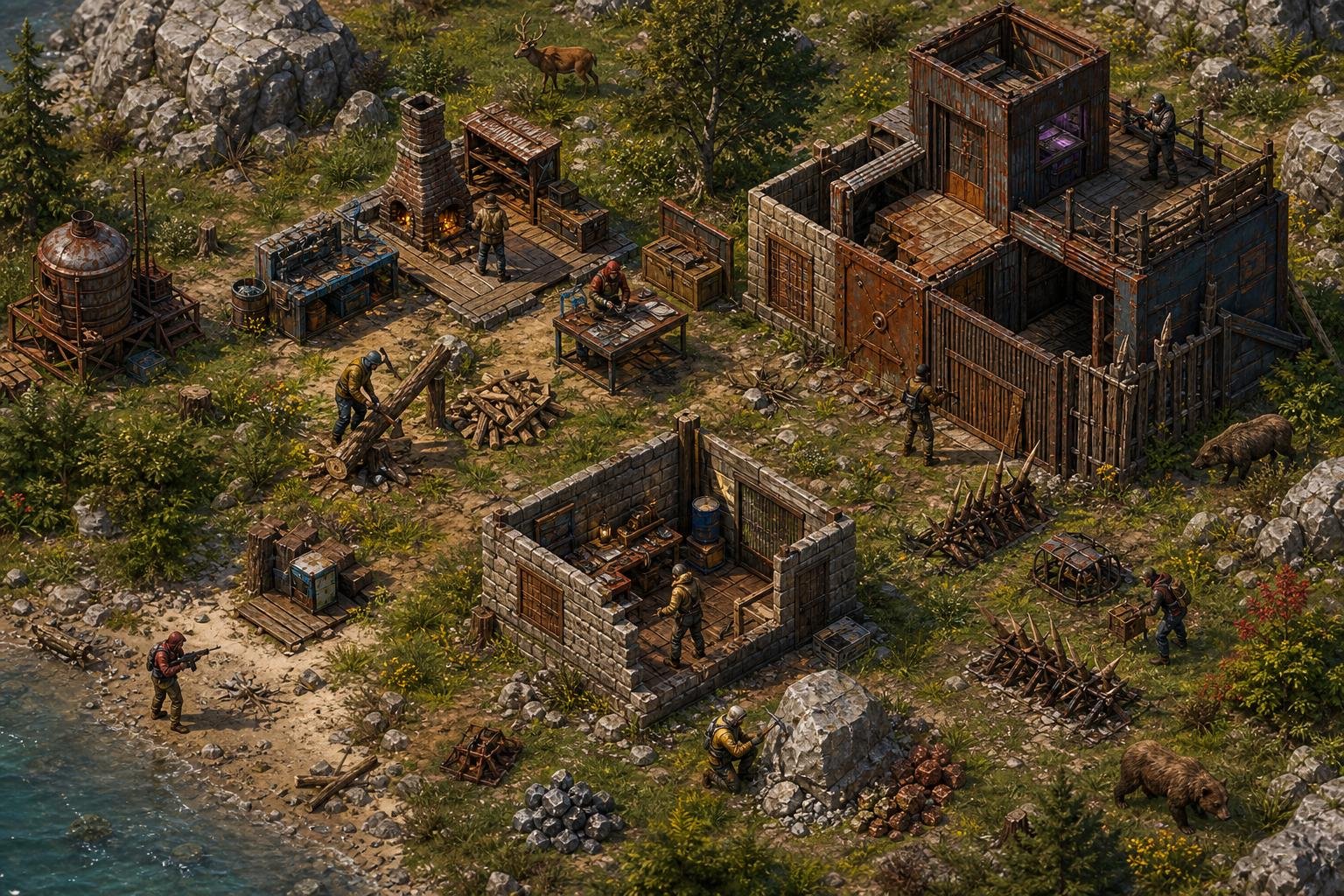
The Spring Clean update directly targets three areas where player behavior had drifted from intended design: shield reliance in PvP, AFK fishing loops, and several smaller survival systems that needed tuning.
Shield Hitbox Adjustments Pull Back Passive Defense
The shield meta got a direct correction. Facepunch noted that shields had become too dominant as a passive defense tool, so the shield hitbox now changes dynamically based on your stance.
- When you are actively holding up the shield, it uses the current large hitbox.
- When idle, it switches to a smaller square hitbox.
A bug that applied extra recoil when shooting at a shield (intended only for melee attacks) has also been fixed. The result is that shields remain strong when you commit to blocking, but they no longer passively absorb shots while you focus on offense.
Overfishing Pushes You Away From AFK Fishing Loops
An overfishing mechanic now tracks catches within a given area over time. If too many fish are pulled from one spot, the zone becomes overfished and only yields junk until it replenishes.
This specifically targets in-base and botted fishing setups. Fishing traps are unaffected, preserving the intended passive option. Community servers can tweak or disable the system entirely via ConVars.
Deep Sea Buffs, Plant Ripeness, and Other Practical Tweaks
Deep sea fishing received a meaningful buff. Herrings and anchovies no longer appear in the deep sea loot pool, concentrating catches toward higher-value fish. Deep sea sleeping bags now display a visual indicator on the death screen so you can distinguish them from land-based bags.
Plant ripeness duration increased from 14 hours to 24 hours, giving you a much wider harvest window. This is a direct quality-of-life win for solo players or anyone who cannot log in twice a day. Growable flowers remain at 28 hours unchanged.
Watchtowers can no longer be spam-placed adjacent to each other. Chainsaws now always hit the X marker when farming trees. Junkpiles no longer spawn on sleeping bags. This update also brings visual refreshes, including a salvaged axe remake and a medical syringe remake. These updates modernize the appearance of some of the most frequently used tools and healing items in the game.
Water Power and Early-Game Utility Get Better
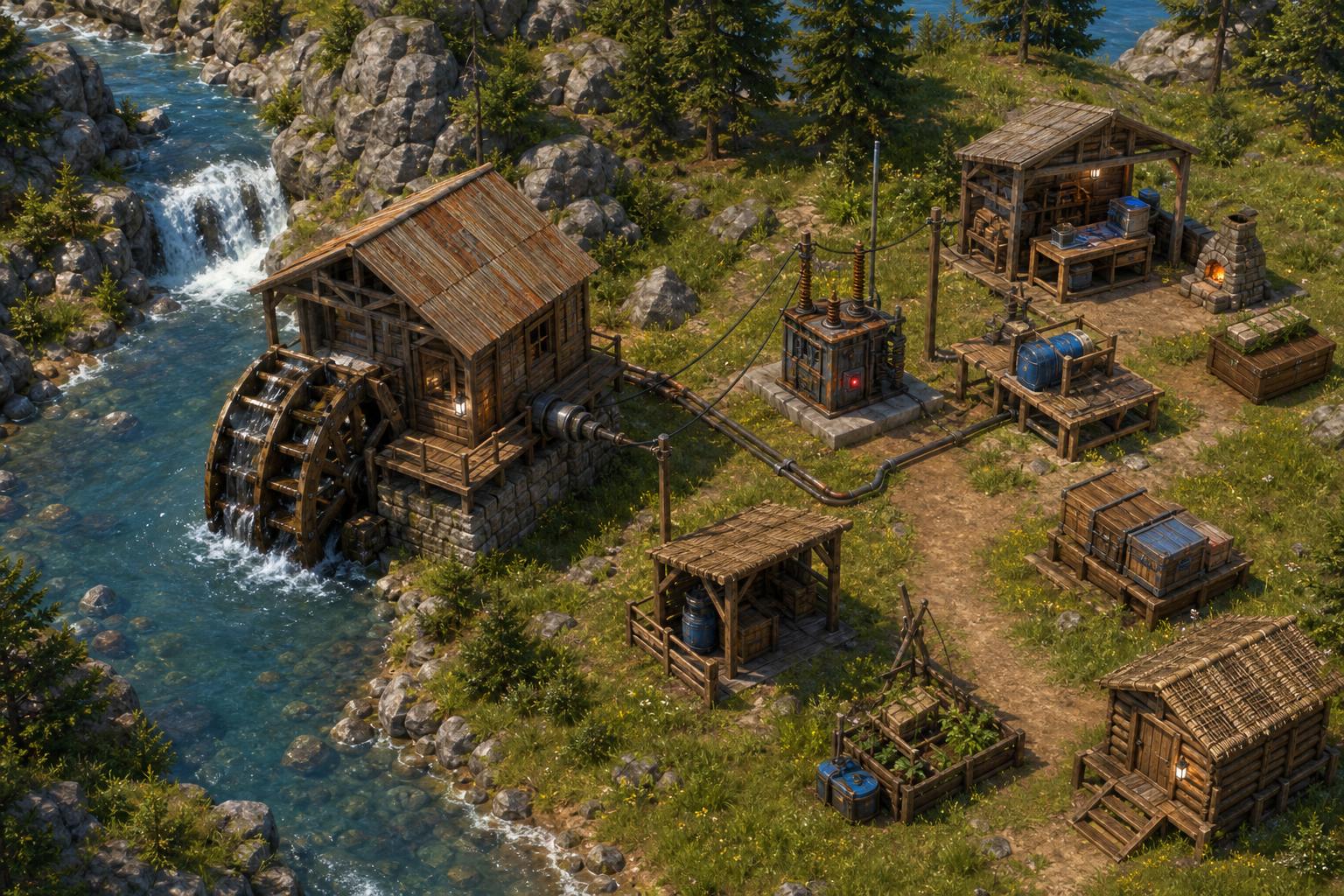
The Water Wheel is the second new deployable in this patch and fills a gap in Rust’s renewable energy lineup. It joins wind turbines and solar panels as a passive power source, but with a different placement profile and a unique manual override.
How the Water Wheel Fits Into Rust’s Renewable Energy Options
Wind turbines require elevation and open sky. Solar panels need daylight. The water wheel deployable generates electricity from river flow, making it viable in biomes and build locations where wind and solar fall short.
It produces consistent output in rivers as long as the water flow to its base is unobstructed. Ocean placement is possible but less reliable since tidal changes cause output to fluctuate.
River Placement, Ocean Variance, and Manual Output
Placing a water wheel in a moving river gives you steady, passive power generation. The key constraint is that upstream obstructions can block flow and reduce or eliminate output, so placement requires a bit of scouting.
There is also a manual mode: you can hop into the wheel and convert calories into electricity, effectively turning it into a hamster wheel. Handcuffed players can be forced into the wheel as well, which will likely see creative use on roleplay and PvP servers alike.
Where It Sits in Early-Game Power Setups
The water wheel is accessible earlier in the progression curve than wind turbines. For early-game power setups near rivers, it provides a reliable baseline that can keep batteries charged, auto turrets active, or lights running without waiting for Tier 2 or Tier 3 unlocks.
Combined with the Shipshape update’s naval additions and the deep sea buffs in this patch, Facepunch continues to push players toward waterfront and oceanic gameplay loops. Players can also get into the holiday spirit during the easter egg hunt. You might even spot some players running around in a bunny costume while they search for eggs.
Performance, Server Tools, and Admin Takeaways
Server stability and client-side rendering both received targeted improvements in this patch. If you run a community server or notice late-wipe performance drops, these changes are directly relevant.
Server Mesh Stripping and Reduced Physics Overhead
A new terrain rendering system replaces Unity’s built-in terrain renderer. Draw calls are massively reduced, culling is more aggressive, and the rendering workload has shifted to the GPU. Visually, everything looks broadly the same, but frame pacing and draw call overhead should improve measurably.
Server mesh stripping and reduced physics overhead also contribute to smoother tick rates, particularly on populated servers later in the wipe cycle.
UsePlayerUpdateJobs, Network Groups, and Server Optimisations
UsePlayerUpdateJobs 2 is now the default server setting after stable internal testing since the March Shipshape update. Support for modes 0 and 1 will be removed in a future patch, so if your server runs custom mods targeting the player update loop, you need to update those now.
UsePlayerUpdateJobs 3 is a new experimental mode. It converts all task creation to UniTask instead of C# Tasks, eliminating allocation overhead. It also parallelizes player network groups streaming and moves more antihack logic into Burst Jobs. Facepunch is trialing it internally, and it is publicly available for server owners who want to test on staging.
New Admin Commands, Spectate Tools, and ConVars
Several new server ConVars and admin tools arrived:
- global.spectatebots / spectate bots for observing bot behavior
- espcanvas.showvoip for VOIP visualization in spectate
- teleportboat2marker, teleportboatpos, teleportboat2grid for boat teleportation
- Rust+ connection limit ConVar for managing companion app load
- global.legacymonumentnotifications, ui.monumentnotificationtoasts, and ui.worldnotifications for controlling notification display
- Demo dubbing system for replay audio overlay
- Clan map name tags for improved clan visibility on the map
These additions give server admins more granular control over gameplay, moderation, and debugging without relying on third-party plugins.
Frequently Asked Questions
What is included in the latest seasonal cleanup update for Rust?
The Rust Spring Clean update includes the Armoured Ladder Hatch, Water Wheel, a light toggle radial menu, tech tree multi-unlock, F1 console overhaul, shield hitbox adjustments, an overfishing mechanic, deep sea fishing buffs, plant ripeness changes, and substantial server performance improvements. Easter event content also shipped alongside the patch.
When is the next seasonal cleanup patch scheduled to release?
Rust follows a monthly update cadence, with forced wipes and patches typically landing on the first Thursday of each month. The next major patch after the April 2026 Spring Clean update is expected in early May 2026, though Facepunch does not always announce themed patch names in advance.
Where can I find the official patch notes and changelog for the update?
The full patch notes are published on the official Rust blog at rust.facepunch.com and on the game’s Steam news page. Both sources include developer commentary, community vote tallies, and detailed breakdowns of each change.
How has the update affected performance and optimization on PC and consoles?
The new GPU-driven terrain rendering system reduces draw calls and improves culling on the client side. Server-side, UsePlayerUpdateJobs 2 is now the default, and the experimental Jobs 3 mode further reduces allocation overhead. Players on mid-range hardware should notice smoother frame pacing, especially in terrain-heavy areas.
What changes were made to combat balance and damage mechanics in this patch?
The primary combat change is the shield hitbox adjustment. Shields now use a smaller hitbox when idle and the full larger hitbox only when actively held up. A bug applying extra recoil when shooting shields (intended only for melee) was also fixed. No weapon damage values were directly changed in this patch.
Has the update shipped on Xbox, and are there platform-specific differences?
Rust’s console edition typically receives monthly updates on a slightly delayed schedule compared to PC. Check the official Rust Console Edition channels for platform-specific patch timing and any differences in feature parity, as some PC additions may roll out to consoles in a subsequent update.