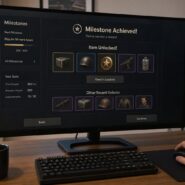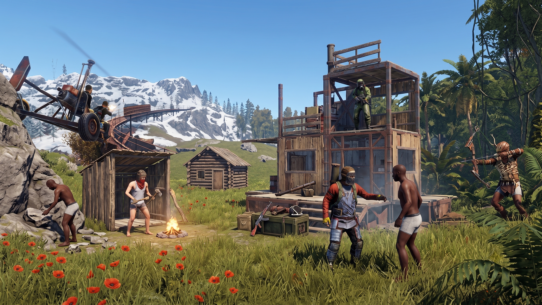

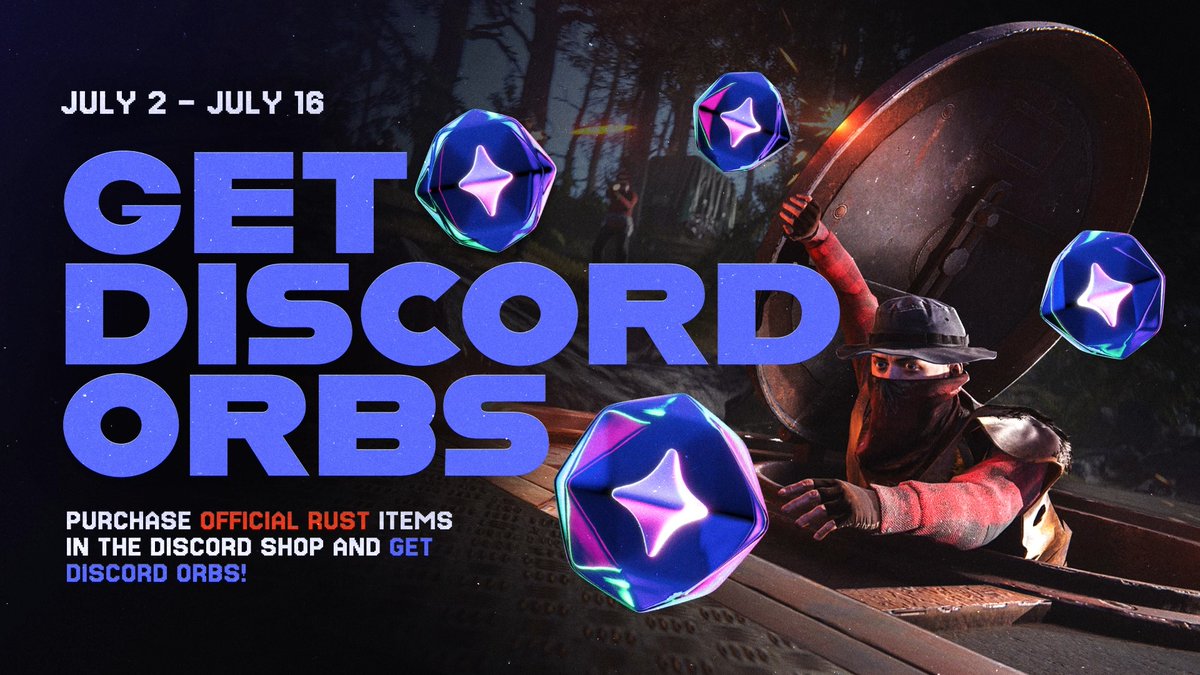

If you play Rust and use Discord, there is a limited-time event running right now that lets you earn Discord Orbs simply by purchasing official Rust items through the Discord Shop. The promotion, which started July 2 and ends July 16, 2026, ties together Facepunch Studios’ in-game cosmetics with Discord’s virtual rewards currency in a way no standard Quest does.
The key thing to know: you buy Rust skins or items in the Discord Shop, those items land in your Steam inventory, and you receive Orbs as a bonus reward on top of the purchase. Orbs can then be spent on Discord Nitro credits, profile badges, avatar decorations, and other perks inside the Discord Shop. The entire process depends on having your Discord and Rust accounts linked correctly and your Steam inventory set up to receive items.
This guide walks through every step, from eligibility and item options to account linking and delivery troubleshooting, so you can complete the event without wasting time or missing rewards.
Key Takeaways
- Purchasing official Rust items in the Discord Shop before July 16 earns you Discord Orbs as a bonus reward, with larger purchases yielding more Orbs.
- Your Discord and Rust accounts must be linked through the in-game social menu, and your Steam inventory must be configured to receive items.
- Orbs you earn can be redeemed for Discord Nitro credits, exclusive profile cosmetics, and other Shop items at no additional cost.
What The Rust X Discord Event Includes
This collaboration between Facepunch Studios and Discord pairs the Rust Game Shop with Discord’s Orbs rewards system, giving buyers a tangible bonus for every qualifying purchase made inside Discord.
Event Dates And Eligibility
The event runs from July 2, 2026, through July 16, 2026. As announced on the official Rust X (formerly Twitter) account, the promotion applies to purchases made in the Discord Shop during that window. Once July 16 ends, Orb rewards tied to Rust item purchases stop.
You need a Discord account with access to the Shop feature, a Steam account that owns Rust, and a link between the two. There is no separate sign-up or code required. The promotion is available to anyone who meets those conditions, though regional restrictions on payment methods in the Discord Shop may apply depending on your location.
Where The Promotion Takes Place
Everything happens inside the Discord client. You will need to log in to your Discord account first. The Rust Game Shop is accessible directly from Discord’s Shop tab, not the Steam Store or the Rust in-game item store. You can find it by navigating to the Shop icon in the Discord sidebar, then browsing or searching for the Rust collection.
Purchases made through Steam, third-party marketplaces, or community markets do not count toward this promotion. Only items bought through the official Discord Shop listing are eligible for Orb rewards.
What Players Receive From Participation
For every qualifying Rust item purchase, you receive the item itself (delivered to your Steam inventory) plus a set number of Discord Orbs. The Orb amount scales with the purchase price, which is covered in detail in the next section.
The items are official Facepunch Studios cosmetics, the same quality as anything from the Rust item store. The Orbs function like any other Orbs you would earn through Discord Quests. You can spend them on Nitro credits, profile decorations, and orbs exclusives within the Discord Shop.
How Discord Orbs Work In This Promotion
Discord Orbs are a virtual currency earned through in-app activity, and this Rust promotion offers a purchase-based path to earning them rather than the usual Quest-based method.
What Orbs Are Normally Used For
According to the Discord Orbs FAQ, Orbs are virtual rewards you earn by completing Quests inside Discord. You can redeem them in the Discord Shop for Discord Nitro credits (typically a 3-day trial), exclusive avatar decorations, nameplates, profile effects, and a special profile badge. These rewards are found within the orbs exclusive shop.
Orbs cannot be converted to real money, transferred to other users, or used for recurring Nitro subscriptions, Server Boosts, or gifts. They stay in your account until spent and do not expire under normal circumstances.
How Purchase Amount Affects Orb Rewards
The Rust x Discord event awards Orbs proportionally based on how much you spend. Buying a higher-priced item pack earns more Orbs than a single inexpensive cosmetic. Discord has not published a fixed Orbs-per-dollar ratio for this promotion, so the exact payout appears on each item’s listing page before you confirm the purchase.
If you hold a Nitro subscription, the 1.2x Orbs multiplier that applies to standard Quest rewards may also boost your earnings here. Check the item page at checkout to confirm whether the multiplier is active for this promotion. This makes it worth verifying your Nitro status before buying.
How This Differs From Standard Discord Quests
Standard Discord Quests ask you to stream a game, play for a set amount of time, or interact with a specific app. They cost nothing. This Rust promotion is different because you are making a real-money purchase, and the Orbs come as a bonus on top of the item you bought.
Think of it as a cashback layer rather than a free task. You are paying for Rust cosmetics you presumably want, and the Orbs are an incentive for buying through Discord’s storefront rather than Steam or another channel. As noted by How-To Geek, Orbs essentially give brands a promotional avenue while rewarding users with spendable currency.
Which Rust Items Are Available To Buy
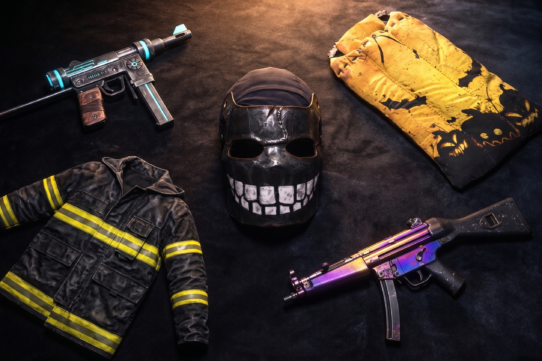
The Discord Shop features a curated selection of official Rust skins and cosmetics from Facepunch Studios, not the full Steam item store catalog. Your options range from individual cosmetics to themed bundles, plus at least one exclusive item.
Cosmetic And Decor Packs In The Shop
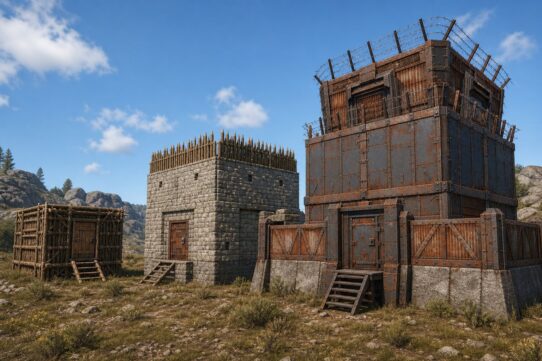
The Rust collection in the Discord Shop includes weapon skins, clothing items, and base decoration packs. These are the same officially made items Facepunch produces for the Rust item store, covering categories like door skins, sleeping bag skins, and various weapon finishes.
Some items are sold individually while others come in bundled packs at a slightly better per-item price. Bundles tend to earn more Orbs because the total purchase price is higher.
| Item Name | Price (€) | Orbs Earned |
| Glowing Wallpaper Pack | €11.11 | 600 |
| Industrial Decor Pack | €11.11 | 600 |
| Wumpus Plush (Exclusive) | €2.58 | 300 |
| Bowless Crossbow | €4.27 | 300 |
| Jungle Pack | €11.11 | 600 |
| Storage Box Pack | €15.38 | 600 |
| Crypt Building Skin | €11.11 | – |
| Space LR-300 Assault Rifle | €5.98 | – |
| Shipping Container Building Skin | €11.96 | – |
| Space Station Building Skin | €11.11 | – |
| RPG Launcher | €5.98 | – |
| Exhibit Decor Pack | €11.11 | – |
| Artist Pack | €8.54 | – |
| Pilot Pack | €11.11 | – |
| Frontier Decor Pack | €11.11 | – |
| Arctic Pack | €11.11 | – |
| Medieval Pack | €11.11 | – |
| Adobe Building Skin | €11.11 | – |
| Brick Building Skin | €11.11 | – |
| Jungle Building Skin | €11.11 | – |
| Brutalist Building Skin | €11.11 | – |
| Legacy Wood Building Skin | €11.11 | – |
| Adobe Gate and Wall Pack | €8.54 | – |
| Legacy Wood Gate and Wall Pack | €8.54 | – |
| Floor & Ceiling Wallpaper Pack | €11.11 | – |
| Wallpaper Starter Pack | €11.11 | – |
| Retro Tool Cupboard | €8.54 | – |
| Abyss Pack | €11.11 | – |
| Frontiersman Pack | €8.54 | – |
| Lumberjack Pack | €11.11 | – |
| Nomad Outfit | €8.54 | – |
| Gesture Pack | €6.83 | – |
| Weapon Racks | €8.54 | – |
| Coconut Underwear | €4.27 | – |
| Industrial Lights | €3.41 | – |
| Graffiti Pack | €8.54 | – |
| Ice King Pack | €5.98 | – |
| Pattern Boomer | €6.83 | – |
| Factory Door | €4.27 | – |
| Sofa – Pattern | €1.70 | – |
Browse the full collection inside Discord’s Shop tab under the Rust category to see current pricing and Orb reward amounts.
Exclusive Items And Limited Appeal
The standout exclusive is the Wumpus Plush, a placeable in-base decoration featuring Discord’s mascot character. As noted by the Rust Steam Community page, you need to purchase the Wumpus Plushie directly through Discord to unlock it in your Steam inventory. It cannot be obtained through the Steam Store or other channels.
This is the kind of crossover item that holds collector value because of its limited acquisition method. If you care about rare base decorations or just want something most players on your server will not have, the Wumpus Plush exclusive is the headline item.
How To Evaluate Value Before Buying
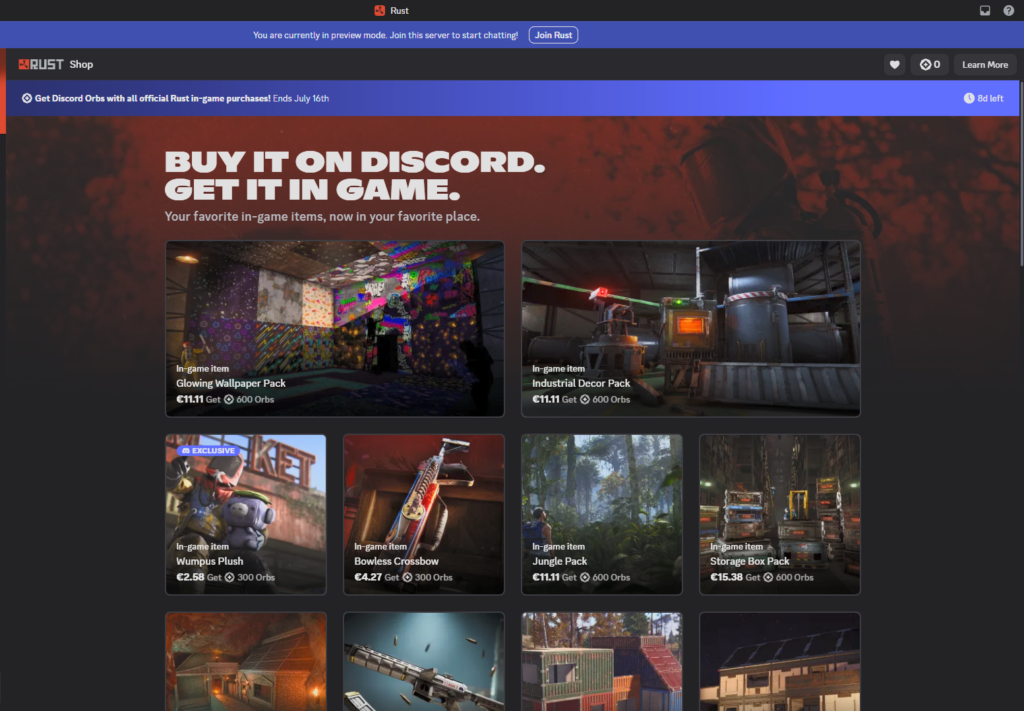
Before spending, compare the Discord Shop price against what similar Rust items cost on the Steam Community Market or the Rust item store. The Discord Shop launched with a 20% discount on most items, so check whether that sale is still active during the Orb promotion window.
Factor in the Orbs you will earn as part of the value. If the Orbs let you claim a Nitro credit or an exclusive profile effect you would not otherwise buy, that is real additional value on top of the cosmetic itself. Do the math before committing to higher-priced bundles.
Where To Buy And Verify Official Listings
Scams and confusion around limited-time gaming promotions are common. A few quick verification steps protect your money and ensure you actually earn Orbs.
Using The Discord Game Shop Link
Open your Discord client (desktop, browser, or mobile) and navigate to the Shop tab. Search for “Rust” or look for the Rust collection featured during the event period. Every legitimate purchase for this promotion happens inside the Discord Shop, not through external links, third-party sites, or DMs from other users.
On mobile, tap your avatar, then the Shop icon in the upper-right corner. On desktop, click the Shop tab to the right of your server list. If you do not see a Shop tab, make sure your Discord app is updated to the latest version.
Checking The Official Rust Announcement
Verify the promotion is real and active by checking the official Rust post on X, which confirms the event dates and links to the Discord Shop. Facepunch Studios also posted about the promotion through their official TikTok account. If someone shares a link claiming to be part of this event, cross-reference it against these official channels before clicking.
Avoiding Unofficial Resellers Or Confusion
Do not buy “Rust Orb bundles” or Orbs themselves from any third-party seller. As Discord’s own FAQ states, Orbs cannot be bought, gifted, or traded between users. Anyone selling Orbs is running a scam. Report those attempts to Discord.
Similarly, buying Rust items from the Steam Community Market or third-party skin sites will not earn you Orbs. Only purchases made through the Discord Shop during the event window qualify.
How To Link Rust And Discord Correctly
Account linking is the most common failure point for promotions like this one. If your accounts are not linked before you purchase, your items may not deliver and your Orbs may not credit.
Using The Social Menu In Rust
The linking process starts inside the Rust game client. Launch Rust, then open the friends/social menu by clicking the friends icon. Look for the option labeled “Find your friends on Discord” or a similar Discord connection prompt. As described in a Steam Community guide, you scroll down on that page and press “Authorize” to complete the link.
Make sure Discord is running in the background on the same machine when you do this. The authorization uses Discord’s OAuth flow, which requires an active Discord session.
What Permissions And Accounts To Confirm
When you authorize the connection, Discord will ask for permission to access your basic profile information and, in some cases, your connections list. Accept these permissions. The link connects your Steam account (which owns Rust) to your Discord account (where you make the purchase).
Double-check that the Steam account linked to Discord is the same one you use to play Rust. If you have multiple Steam accounts, linking the wrong one means items will be delivered to an inventory you may not actively use.
Common Linking Problems And Fixes
If the “Authorize” button does not appear, try restarting both Rust and Discord. Make sure Discord is not running only in a browser tab with pop-ups blocked, as the OAuth window needs to open properly.
If you have previously linked and unlinked your accounts, the connection may be cached incorrectly. Go to Discord Settings > Authorized Apps, revoke the Rust authorization, then re-link from within the game. After re-linking, refresh your Steam inventory to confirm the connection is active. The Discord Trophy item appearing in your inventory is a quick way to verify the link worked.
How Purchased Items Reach Your Steam Inventory
Once you buy a Rust item through the Discord Shop, it needs to travel from Discord’s storefront to your Steam account. This process relies on Steam inventory integration and usually completes quickly, but there are a few things to watch.
What Steam Inventory Integration Means
Steam inventory integration means the item you purchase in Discord is fulfilled through Steam’s infrastructure and deposited directly into the Steam inventory tied to your linked account. You do not need to redeem a code or complete any extra steps. The item should appear alongside your existing Rust skins and cosmetics.
This is the same delivery mechanism Facepunch uses for Twitch Drops and other promotional items. The integration is handled server-side between Discord, Facepunch, and Steam.
Delivery Timing And Item Availability
Most items arrive within minutes of purchase. Some users report near-instant delivery, while others see a delay of up to a few hours during high-traffic periods. If the event just launched or is about to end, expect heavier load on the delivery system.
Once delivered, the item is yours permanently. It behaves like any other Rust item in your Steam inventory: you can equip it in-game, trade it (if tradable), or list it on the Steam Community Market (if marketable), subject to any trade hold or market restriction Facepunch applies.
What To Check If Rewards Do Not Appear
If your item has not appeared after a few hours, try these steps in order:
For Orbs specifically, check your Orbs balance in the top-right corner of Quest Home or the orbs exclusives shop. Orbs should credit at the time of purchase, not upon item delivery.
Best Ways To Benefit From The Event
The event is short, running just two weeks. A few decisions made now can help you get more out of it.
Choosing Items You Actually Want To Use
Do not buy items solely for the Orbs. The Orb rewards are a bonus, not the primary value. Pick skins and cosmetics you will actually equip in Rust. If nothing in the Discord Shop appeals to you, the Orbs you would earn may not justify the spend.
That said, if you were already planning to pick up Rust skins, routing that purchase through the Discord Shop during this window is a clear win. You get the same item plus free Orbs.
Timing Purchases Before The Deadline
The promotion ends July 16, 2026. Do not wait until the final hours. Server load tends to spike near deadlines, which can slow item delivery and create unnecessary stress about whether your purchase counted.
Buy early enough to verify that items arrived in your Steam inventory and Orbs credited to your Discord balance. If something goes wrong, having a few days of buffer gives you time to troubleshoot or contact support.
Stacking Event Value With Broader Gaming Rewards
If you are someone who regularly earns gaming rewards through action-based platforms, this event stacks nicely with your existing habits. For example, platforms like Rewardly let you earn gift cards and game items by completing surveys and tasks, with no mechanics of chance or gambling involved, and those gift cards can fund purchases like the ones in this Discord Shop event.
Think of it as layering free earning methods on top of promotional events to stretch your gaming budget further.
Limits, Fine Print, And Reader Takeaways
Before you buy, know the constraints and what makes this event worth your attention.
Regional Or Account Restrictions To Watch
The Discord Shop’s payment options vary by region. Some countries may not have access to all payment methods, which could limit your ability to complete a purchase. Gift cards or prepaid cards may not work depending on Discord’s payment processor in your area.
You need to be at least 13 years old to use Discord, and payment typically requires being 18+ or having parental consent depending on your jurisdiction. If you are using a minor’s account, purchasing may be restricted.
Why This Event Matters For Rust And Discord Users
This is one of the first promotions where buying game items directly earns Discord Orbs, blending in-game cosmetic value with platform-level rewards. For Rust players, it means your cosmetic spending does double duty. For Discord users, it is a new way to build your Orbs balance without relying solely on Quests.
The Wumpus Plush exclusive also signals that Discord and Facepunch may collaborate again in the future. Participating now puts you in a good position if similar crossover events follow, since you will already have your accounts linked and your inventory pipeline tested.
What To Do Before July 16 Ends
Here is a quick checklist:
Do not leave any of these steps for the last day.
Frequently Asked Questions
What are Discord Orbs and how do you get them through item-related promotions?
Discord Orbs are a virtual currency you earn inside the Discord platform, typically by completing Quests. In item-related promotions like the Rust x Discord event, you earn Orbs as a bonus when you purchase qualifying items through the Discord Shop. The Orbs credit to your account at the time of purchase and can be spent on Nitro credits, profile cosmetics, and other eligible items.
Which Rust items are eligible for earning Orbs in Discord promotions?
Items sold in the official Rust collection within the Discord Shop are eligible during the July 2 to July 16 event window. This includes weapon skins, clothing cosmetics, base decorations, bundles, and the exclusive Wumpus Plush. Items purchased through Steam, the Rust item store, or third-party marketplaces do not earn Orbs.
How do you link your Discord account to Rust or a participating platform to track Orb rewards?
Open Rust, click the friends/social icon, and look for the Discord connection prompt. Press “Authorize” to link your accounts through Discord’s OAuth system. Make sure Discord is running in the background and that the Steam account connected to Discord matches the one you play Rust on.
How long does it take for Orbs to appear in your Discord balance after completing the required steps?
Orbs typically appear in your balance immediately or within minutes of completing a qualifying purchase. You can check your balance in the top-right corner of Quest Home or the Shop tab in Discord. If Orbs do not appear after a few hours, verify your purchase history and contact Discord support.
What can you buy with Discord Orbs in the Discord Shop, and are there limited-time items?
You can buy Nitro credits, exclusive avatar decorations, nameplates, profile effects, and profile badges. Many of these items are orbs exclusives found in the orbs exclusives shop. You cannot use Orbs for gifts, partner-branded items, recurring Nitro subscriptions, or Server Boosts. Some Orbs-exclusive items rotate periodically, so specific cosmetics may be available for a limited time.
Can you gift Discord Shop items or bundles purchased with Orbs to another user on desktop or mobile?
No. Items purchased with Orbs cannot be gifted to other users. Orbs themselves also cannot be transferred, traded, or gifted. If you want to give someone a Rust item, you would need to purchase it with real money using the gift option in the Discord Shop, which does not use Orbs.