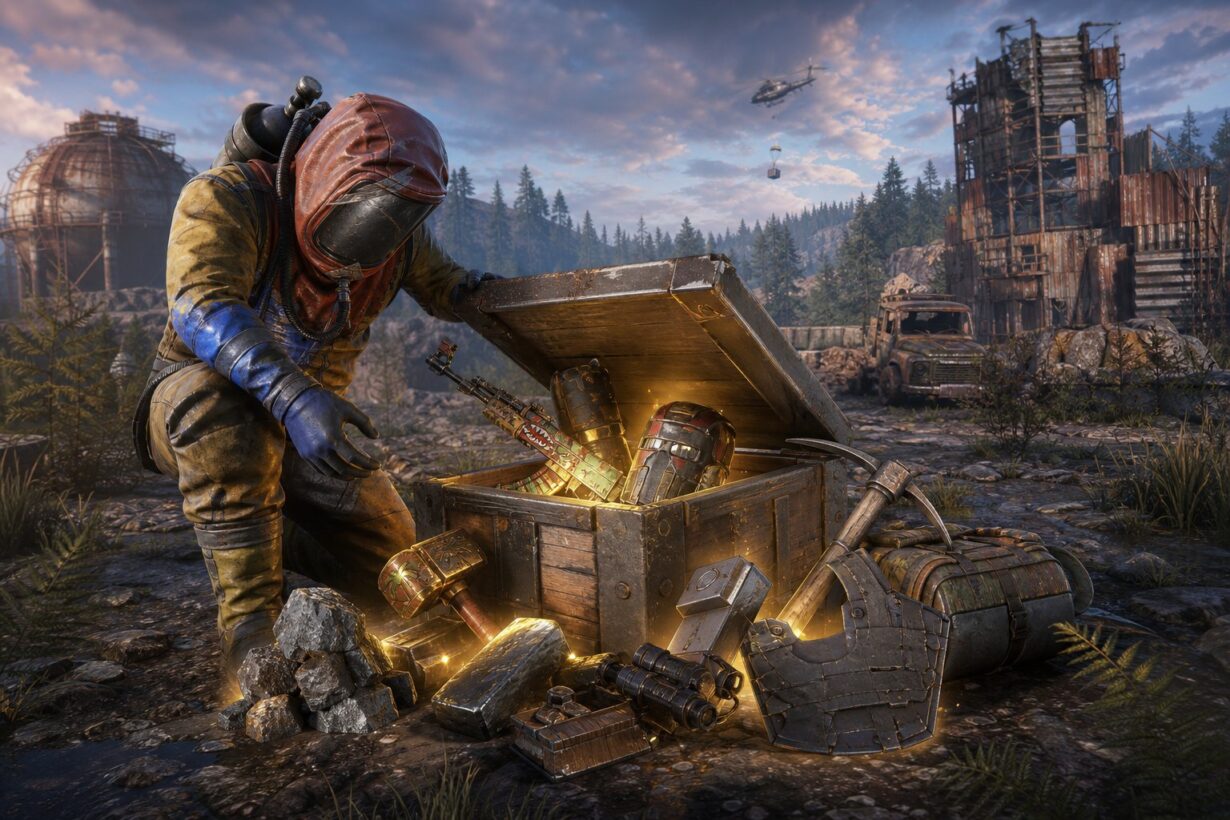

Free Rust skins are one of the best perks of being a Twitch viewer, and the process for grabbing them is simpler than most guides make it seem. If you link your Steam and Twitch accounts, watch the right streams during an active campaign, and claim your rewards on time, you can build a solid collection of exclusive Rust cosmetics without spending a cent. The catch is that small missteps, like forgetting to hit the claim button or having your accounts linked incorrectly, can cost you items you spent hours earning.
This guide walks you through every step of the Rust Twitch Drops process: what you need before a campaign starts, how to link accounts properly through Facepunch Studios, how to find Drops-Enabled streams, and how to actually get your items into your Steam inventory. It also covers the most common problems that cause rewards to go missing, using the recent Round 50 Base Invaders event as a real-world example. If you enjoy earning free gaming rewards beyond Twitch campaigns, Rewardly offers another way to pick up Rust skins and gift cards through surveys, tasks, and referrals with no deposits required.
Key Takeaways
- You must link your Steam and Twitch accounts through the official Facepunch page before watching any Drops-Enabled stream, and Twitch Prime is not required.
- Only one stream counts toward drop progress at a time, so opening multiple tabs will not help you earn rewards faster.
- Unclaimed drops expire after 180 days, and missing items can often be recovered using the “Check for Missing Drops” button on the Facepunch connect page.
How The System Works
Rust Twitch Drops let you earn cosmetic items and crates by watching live Rust streams during scheduled campaigns run by Facepunch Studios. The system has a few moving parts, but it boils down to linking accounts, accumulating watch time on qualifying channels, and claiming rewards before they expire.
What Twitch Drops Are In Rust

Twitch Drops are a promotional feature where Facepunch Studios, the developer behind the Rust survival game, partners with Twitch to distribute free in-game items to viewers. During an active campaign, watching Drops-Enabled streams for a set amount of time unlocks items like unique skins, crates, or themed cosmetics tied to that specific event.
These items land in your Twitch Drops Inventory first. From there, you claim them, and they transfer to your Steam inventory. The skins and items you receive this way are often exclusive to that particular campaign, which makes them genuinely hard to get outside of the drop window.
General Drops Versus Streamer-Specific Rewards
Not all Rust drops work the same way. General drops can be earned by watching any participating Rust stream that has the Drops Enabled tag. You pick whichever channel you like, and your watch time ticks up.
Streamer-specific drops are different. These require you to watch one particular streamer’s broadcast. As noted on the official Facepunch Twitch Drops page, all participating streamers and their specific conditions are listed directly on that site during active campaigns. If you want a specific streamer’s item, you need to be on their channel, not just any Rust stream.
Why Claiming Happens In Stages
The multi-step claim process confuses a lot of first-timers. You do not automatically receive items just because you watched enough stream time. Here is the actual flow:
- You accumulate the required watch time on a qualifying stream.
- A notification appears on Twitch telling you a drop is ready.
- You manually claim the drop from your Twitch Drops Inventory.
- The item then transfers to your Steam inventory, usually within 10 minutes.
If you skip step 3, the drop just sits unclaimed and eventually expires. Facepunch built this staged approach so items only go to people who are actively engaged, not just idling with a tab open and forgetting about it.
What You Need Before You Start
Three things need to be in place before any campaign goes live: a Twitch account, a Steam account with Rust, and a verified link between them. Getting these sorted ahead of time saves you from scrambling when drops start.
Twitch Account, Steam Account, And Game Ownership
You need a free Twitch account in good standing. No subscriptions, no special tier required.
On the Steam side, you need to own Rust. Interestingly, you do not need to have the game installed to earn drops. As confirmed by community discussion on Reddit, drops will stack in your Twitch account until you link it and claim them. You do need to own Rust on Steam before those items can actually transfer to your Steam inventory, though.
Steam Twitch Account Linking Basics
Steam Twitch account linking is the single most important step. Without it, you can watch streams all day and claim drops on Twitch, but nothing will ever show up in your game.
The link is done through twitch.facepunch.com, not through Twitch settings or Steam settings. You sign in with both accounts on that page, and Facepunch Studios creates the connection. This is covered in more detail in the linking section below.
Why Twitch Prime Is Not Required
This comes up constantly: you do not need Twitch Prime (now called Twitch Premium) to earn Rust Twitch Drops. The drops system is completely separate from any Twitch subscription tier. A standard free Twitch account works.
Twitch Prime sometimes offers its own game-specific promotions, but those are a different program entirely. Every Rust drop campaign run by Facepunch is open to all Twitch users, regardless of whether they pay for a subscription. Do not let anyone convince you to sign up for a paid plan just to get Rust drops.
Linking Twitch And Steam The Right Way
Linking your accounts correctly is where most people hit their first snag. A wrong Steam account, an expired session, or an old Twitch profile tied to the wrong Steam ID can silently eat your rewards.
Using twitch.facepunch.com And The Connect Flow
Head to the Facepunch connect page and sign in with your Twitch account first, then your Steam account. The page will display both linked profiles once the connection is made.
A few practical tips:
- Log into the correct accounts in your browser first. If you have multiple Steam or Twitch accounts, double-check which one your browser is currently signed into before clicking the connect button.
- Use the same browser for both sign-ins. Switching browsers mid-flow can cause the session to break.
- Do this on desktop, not mobile. The redirect flow is more reliable in a desktop browser.
How To Confirm The Correct Accounts Are Linked
After linking, the Facepunch page should show your Twitch username and your Steam profile name side by side. Verify both.
If you see the wrong Steam account, do not panic. You can unlink and relink. The important thing is catching the mistake before a campaign starts, not after you have watched four hours of streams only to discover your drops went to an old Steam account you no longer use.
What To Do Before Relinking
If you need to switch accounts, the Facepunch connection page explains the unlink process: sign in with your Steam account and click the “Unlink Account” button. Once unlinked, you can link a new Twitch account normally.
Keep in mind: if you unlink mid-campaign, any unclaimed drops from the previous link may not transfer cleanly. Always relink during a quiet period between campaigns when possible. And if you no longer have access to the old Twitch account, the Steam-side unlink still works since it only requires your Steam login.
Finding Eligible Streams And Earning Watch Time
Knowing which streams count toward your progress and how watch time accumulates will save you from wasting hours on a channel that is not participating.
How To Spot Drops-Enabled Rust Streams On Twitch
When a campaign is active, qualifying channels display a “Drops Enabled” tag directly beneath the stream title. You can also filter the Rust category on Twitch to show only Drops-Enabled streams.
Some campaigns feature specific communities like Rustoria or TwitchRivals, which means certain items are only available from those branded channels. The Facepunch Twitch Drops page always lists all participating streamers and active campaigns, so check there first rather than guessing.
How Watch Time Requirements Usually Work
Most Rust drop campaigns use a tiered structure. You might need to watch for one hour to unlock the first item, two hours for the second, and so on up to four or five hours for the final reward. Each tier must be completed sequentially.
Your progress is tracked on the Twitch Drops Inventory page. A progress bar shows how close you are to each reward. If you close the stream and come back later, your accumulated time picks up where you left off, as long as you return to a qualifying channel within the same campaign window.
A few things that will not count toward your watch time:
- Muted browser tabs (Twitch may pause tracking if the tab is muted at the browser level; muting the stream player itself is usually fine)
- Streams that do not have the Drops Enabled tag
- Watching after the campaign end date
Why Multiple Open Streams Do Not Speed Up Progress

This is one of the most common misconceptions. Opening five Rust streams in separate tabs does not multiply your progress. As stated on the official Facepunch FAQ, you will only be eligible to receive a drop for one active channel at a time.
Pick one Drops-Enabled stream, keep it open, and let your time accumulate. If that streamer goes offline, switch to another qualifying channel. That is the most efficient approach.
Claiming Rewards And Receiving Items
Once your watch time hits the required threshold, the real payoff begins. The claim and delivery process has a few steps that are easy to miss if you are not paying attention.
Using The Twitch Drops Inventory Page
When a drop is ready, Twitch sends a notification (bell icon, purple dot on your profile). Go to your Twitch Drops Inventory and you will see the item with a “Claim” button. Click it.
That is it on the Twitch side. If you do not click “Claim,” the item sits in a pending state. It does not auto-claim.
Redeeming Into Your Steam Inventory
After claiming on Twitch, the item should appear in your Steam inventory within about 10 minutes. According to the Facepunch FAQ, if it has not arrived after 30 minutes, your Steam account may not have been properly linked when you claimed the drop.
To check your Steam inventory, open Steam, go to your profile, click “Inventory,” and select “Rust” from the game list. Items from Twitch Drops show up alongside anything else you own.
What Rust Crates Are And How They Open In Game
Some drops come as Rust crates rather than specific skins. A crate is a Steam item that gives you one random Rust item or skin when opened.
Opening a crate is straightforward:
- Launch Rust.
- From the main menu, click “Inventory.”
- Select the crate.
- Click the button to open it.
The item you receive is random, so crates add a small element of surprise to the drop experience. If you enjoy collecting free Rust skins through different channels, crates are a nice bonus on top of the guaranteed items.
The 180-Day Expiry Rule For Unclaimed Drops
This rule catches people off guard. If you claim a drop on Twitch but your Steam account was not linked (or linked incorrectly), you have 180 days to sort out the connection and push the item to your Steam inventory. After 180 days, the drop expires permanently and cannot be recovered.
The official guidance is to use the “Check for Missing Drops” button on twitch.facepunch.com after relinking your accounts. That button attempts to redeliver any drops that were claimed on Twitch but never arrived in Steam.
Recent Campaign Example: Round 50 Base Invaders
The Round 50 Base Invaders event, hosted in partnership with TwitchRivals from May 13 through May 18, 2026, is a good illustration of how a typical Rust Twitch Drops campaign runs in practice.
How Rustoria Hosted The Event
Rustoria, one of the largest Rust community server networks, hosted the Base Invaders competition. Twenty teams of five competed on a custom server while viewers earned general drops over the five-day window. This meant any Drops-Enabled Rust stream counted toward the general reward tiers, while certain items were tied to specific participating streamers.
Typical Reward Tiers From One To Five Hours
Round 50 followed the familiar tiered structure that most Rust drop campaigns use. Based on community coverage of the event, reward tiers looked roughly like this:
| Watch Time | Example Reward |
| 1 hour | Large Wood Box skin |
| 2 hours | Barbeque skin |
| 3 hours | Salvaged Axe skin |
| 4 hours | Tactical Gloves skin |
| 5 hours | SKS skin |
Each tier had to be completed in order. You could not skip ahead to the five-hour item.
Example Items Including The TwitchRivals HMLMG
The headline item for many viewers was the TwitchRivals HMLMG skin, which was a streamer-specific drop tied to the TwitchRivals broadcast channel. To earn it, you needed to watch the official TwitchRivals stream specifically, not just any Drops-Enabled Rust channel.
This distinction between general and streamer-specific drops is worth repeating: if you want a particular branded item, always check the Facepunch drops page to confirm which channel you need to be watching.
Fixing Missing Or Stuck Rewards
Even when you do everything right, items sometimes fail to arrive. The good news is that most delivery issues have straightforward fixes.
Using Check For Missing Drops
The “Check for Missing Drops” button on twitch.facepunch.com is your first line of defense. As described in a helpful Steam community discussion, this button scans your claimed Twitch drops and attempts to push any undelivered items to your linked Steam account.
Click it once, wait a few minutes, and check your Steam inventory. If items still do not appear, try again after 15 to 20 minutes.
Drops Not Appearing In Steam Inventory
If the “Check for Missing Drops” button does not resolve the issue, work through this checklist:
- Verify your link is active. Go to twitch.facepunch.com and confirm both accounts are shown as connected.
- Confirm you own Rust on Steam. Items cannot deliver to an account that does not own the game.
- Check the right Steam account. If you have multiple Steam profiles, make sure the linked one is the one you are checking.
- Wait longer. During high-traffic campaigns, delivery can take longer than the usual 10 minutes. Some community reports on Reddit suggest waiting up to an hour before troubleshooting further.
When To Unlink And Relink Accounts
If nothing else works, unlinking and relinking your accounts can reset the connection. Go to twitch.facepunch.com, sign in with Steam, click “Unlink Account,” and then reconnect. After relinking, use the “Check for Missing Drops” button again.
This approach has resolved delivery issues for many players, especially those who changed their Twitch username or switched Steam accounts since their last link. Just remember the 180-day window for unclaimed drops. If you are troubleshooting items from months ago, act sooner rather than later.
For gamers who like the idea of earning rewards without the time pressure of limited-window Twitch campaigns, platforms like Rewardly offer an alternative path to Rust skins and other gaming rewards on your own schedule.
Frequently Asked Questions
How do I link my Steam account to Twitch to claim in-game rewards?
Visit twitch.facepunch.com and sign in with both your Twitch and Steam accounts. The page will display both linked profiles once the connection is complete. You need to own Rust on your Steam account for items to transfer successfully.
Which participating channels are eligible to earn rewards during the current campaign?
All Rust streams displaying the “Drops Enabled” tag count toward general drop progress. Streamer-specific drops require watching a designated channel. The Facepunch Twitch Drops page lists every participating streamer and the conditions for each active campaign.
How long do I need to watch a stream to unlock each reward, and can I track progress?
Watch time requirements vary by campaign but typically range from one to five hours across multiple tiers. You can track your exact progress toward each reward on the Twitch Drops Inventory page, which shows a progress bar for every active drop.
Why are my claimed rewards not showing up in-game, and how can I fix it?
The most common cause is a broken or incorrect Steam Twitch account link. Go to twitch.facepunch.com, confirm your accounts are connected, and click the “Check for Missing Drops” button. If items still do not appear after 30 minutes, try unlinking and relinking your accounts, then pressing the button again.
Can I still obtain rewards from previous campaigns, and are old rewards ever re-released?
Once a campaign ends, you cannot earn new drops from it. If you claimed drops but they never reached your Steam inventory, you have 180 days to recover them using the “Check for Missing Drops” button. Facepunch has occasionally featured similar items in later campaigns, but specific skins from past events are generally not re-released.
Is it possible to buy or transfer earned rewards between accounts, and what are the risks?
Most Rust Twitch drop items are tradable or marketable on the Steam Community Market after they arrive in your inventory, though some may have trade-hold periods. Buying or selling accounts to transfer drops violates both Steam and Twitch terms of service and risks permanent bans on both platforms. Stick to legitimate Steam trading if you want to move items.